Support & FAQ's
If you are having an issue with SimpleLists please have a look at ther FAQ below.
If you cant find what you are looking for feel free to reach out to me by email.
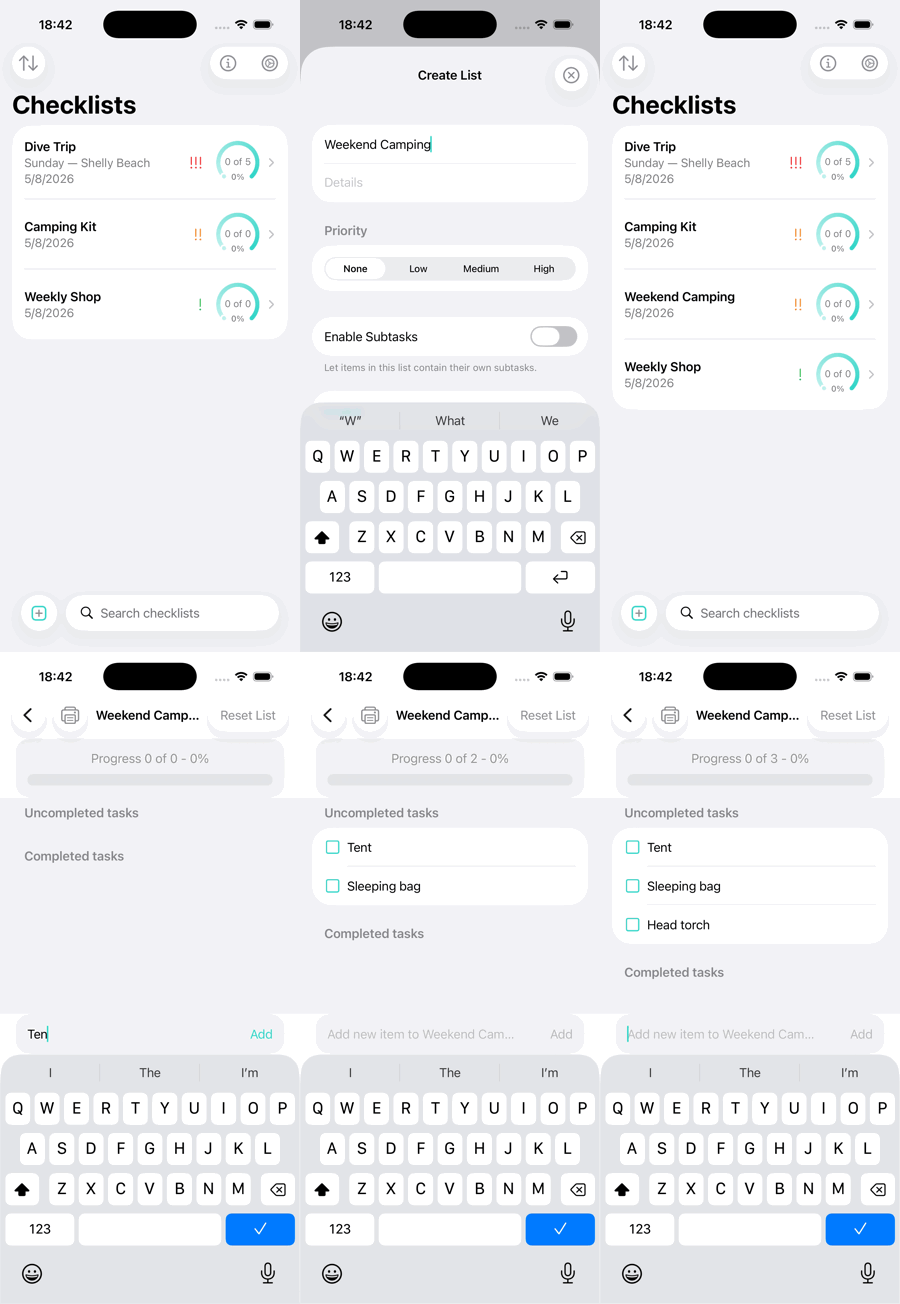
- How do I create a checklist?
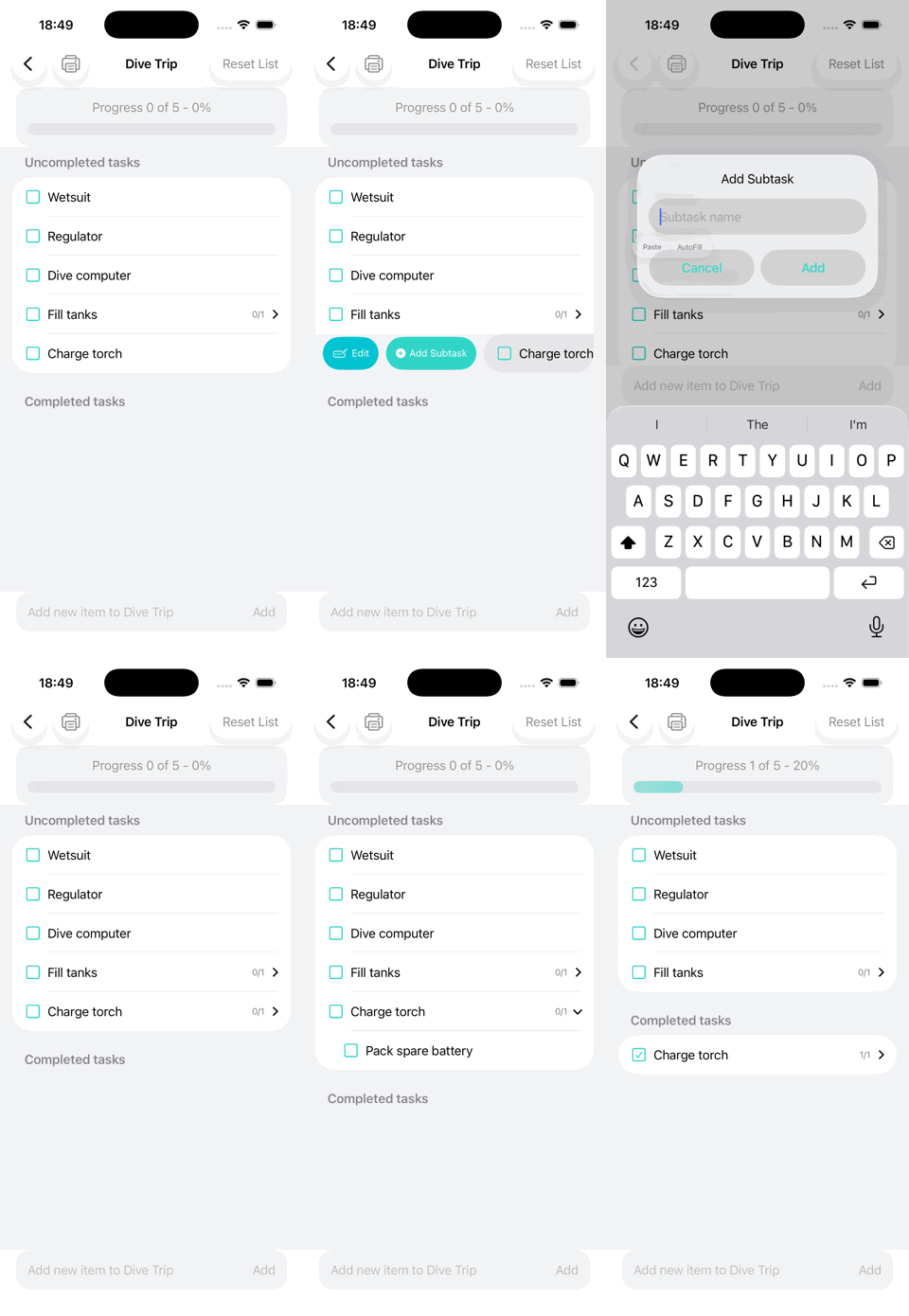
Tap the ⊞ button at the bottom of the screen and give your checklist a name. You can optionally add details, priority and a toggle to enable subtasks. Then tap Create.
To add items, open the list and type them into the add bar at the bottom. New items will appear at the end of the uncompleted section. You can reorder items by holding and dragging them to the desired position.
- How do I edit, rename or delete something?
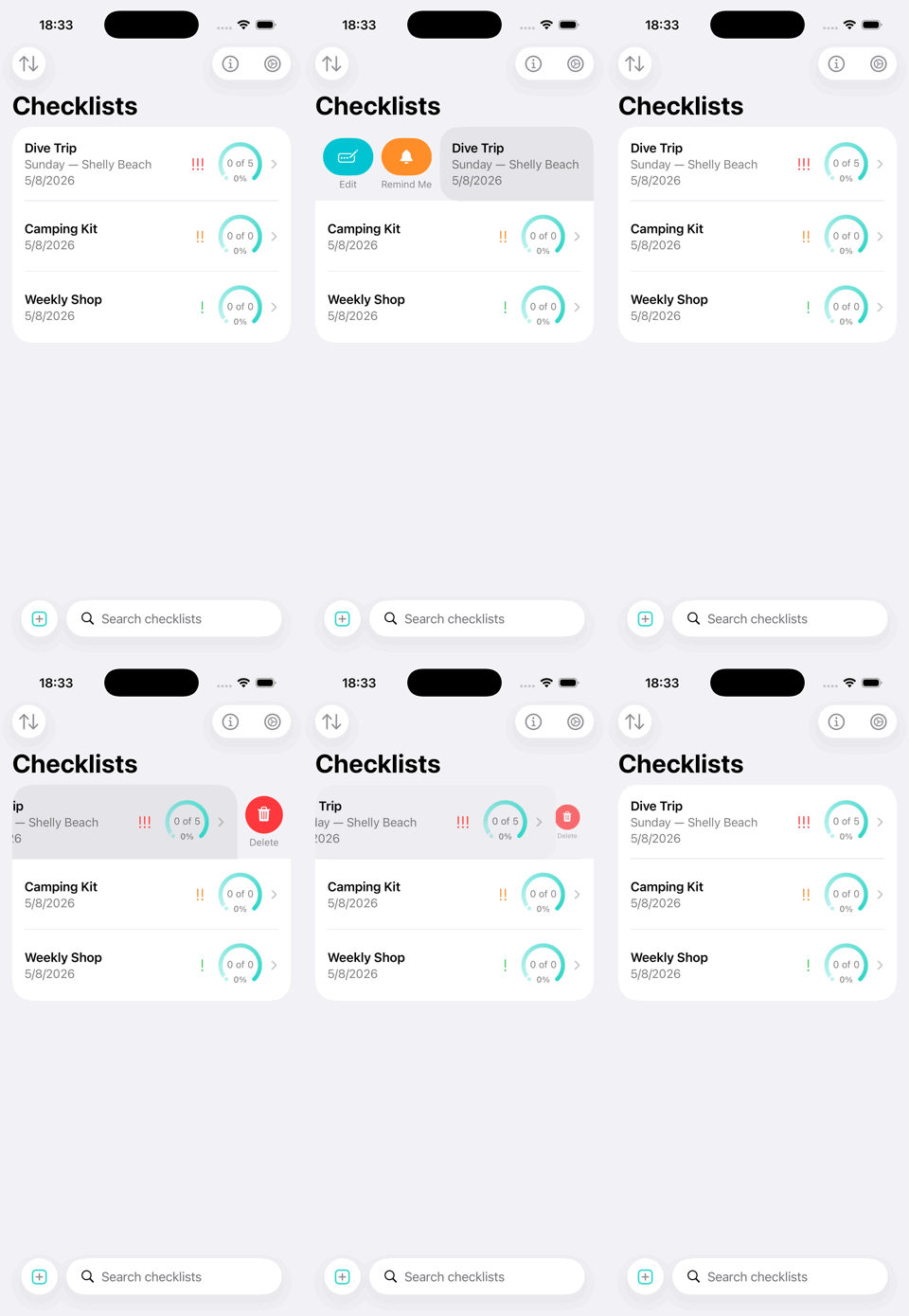
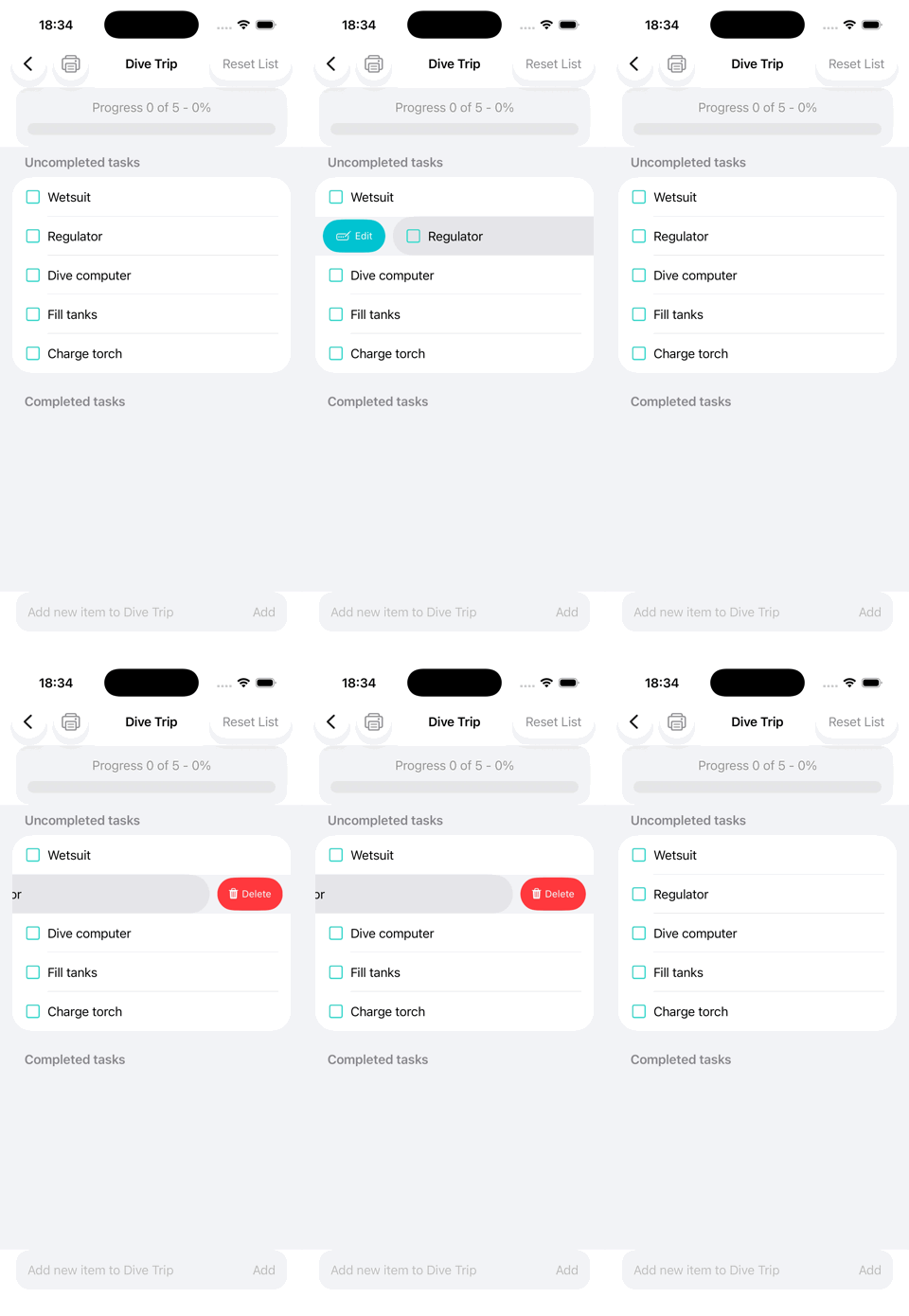
To edit or set a reminder for a list row, swipe right. For an item, swipe right to edit or add a subtask. To delete an item, swipe left.
- How do I reuse a checklist next time?
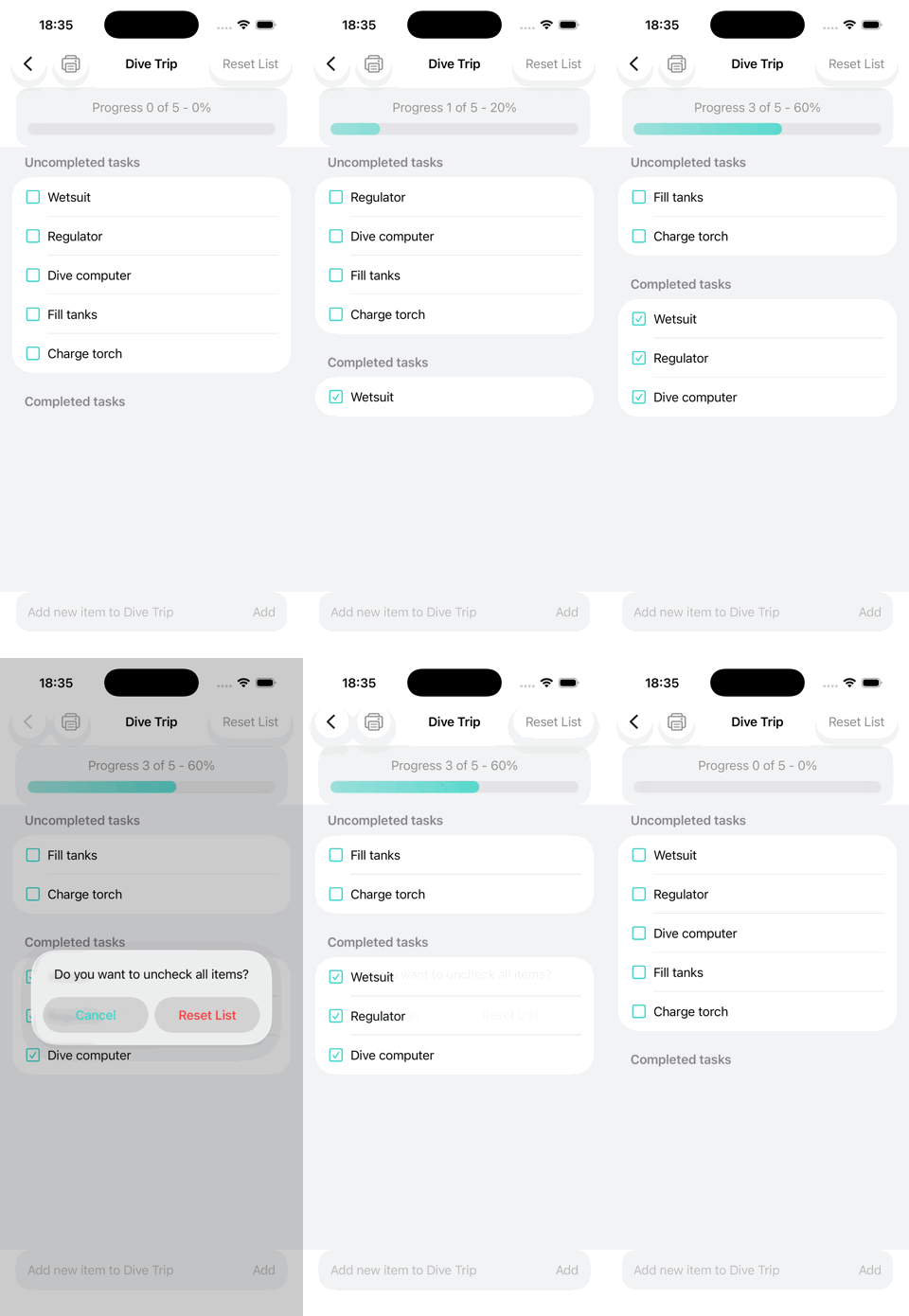
The “Reset List” option in the top-right corner unchecks every item and its subtasks without removing anything.
- Why can't I tap the checkbox on some items?
A checkbox for an item with subtasks only ticks when all its subtasks are checked.
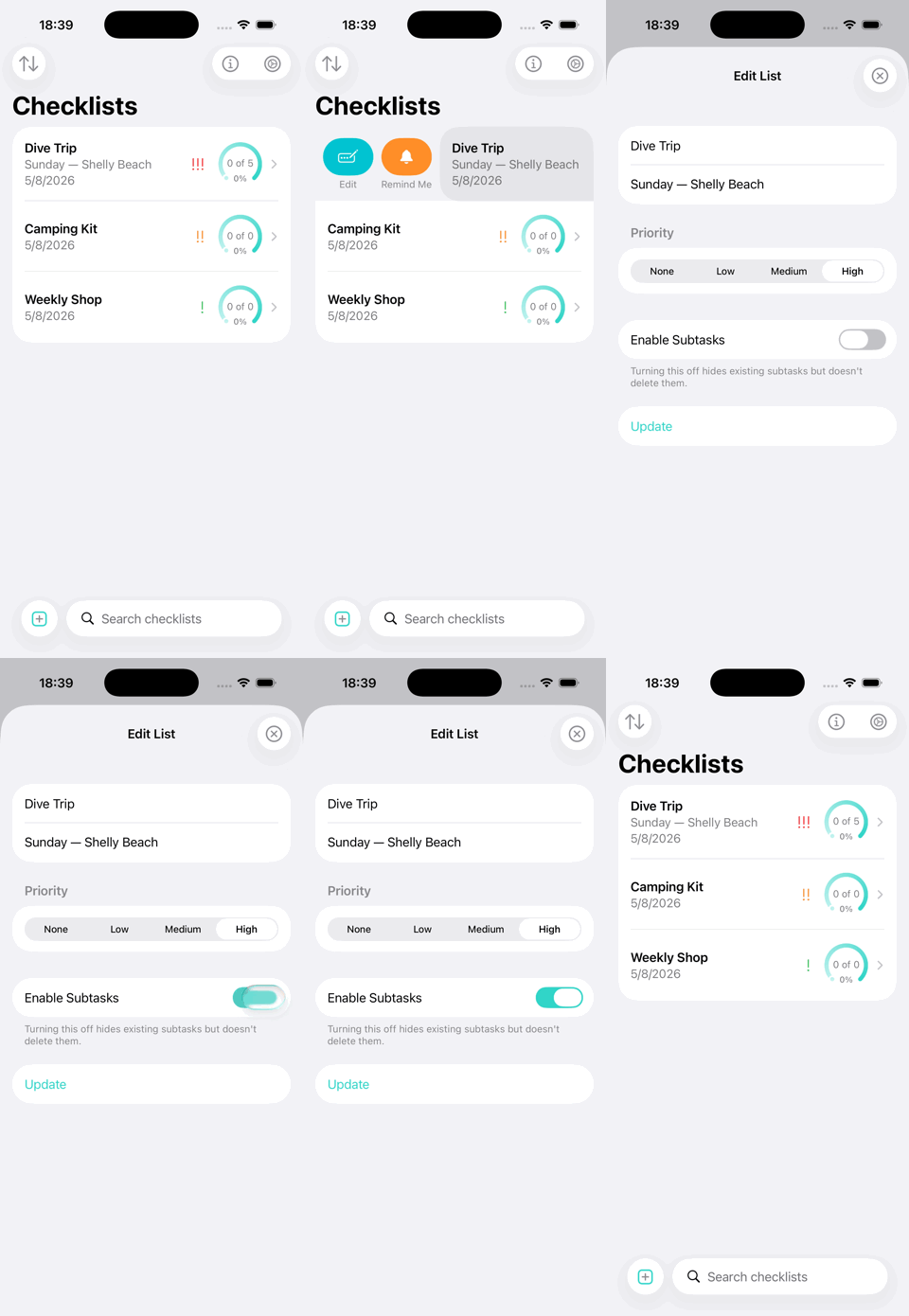
- I didn't enable subtasks when I made the list — am I stuck?
No. To edit the list, swipe right and toggle “Enable Subtasks”. Turning it off will hide existing subtasks rather than deleting them.
- How do I get reminded about a list?
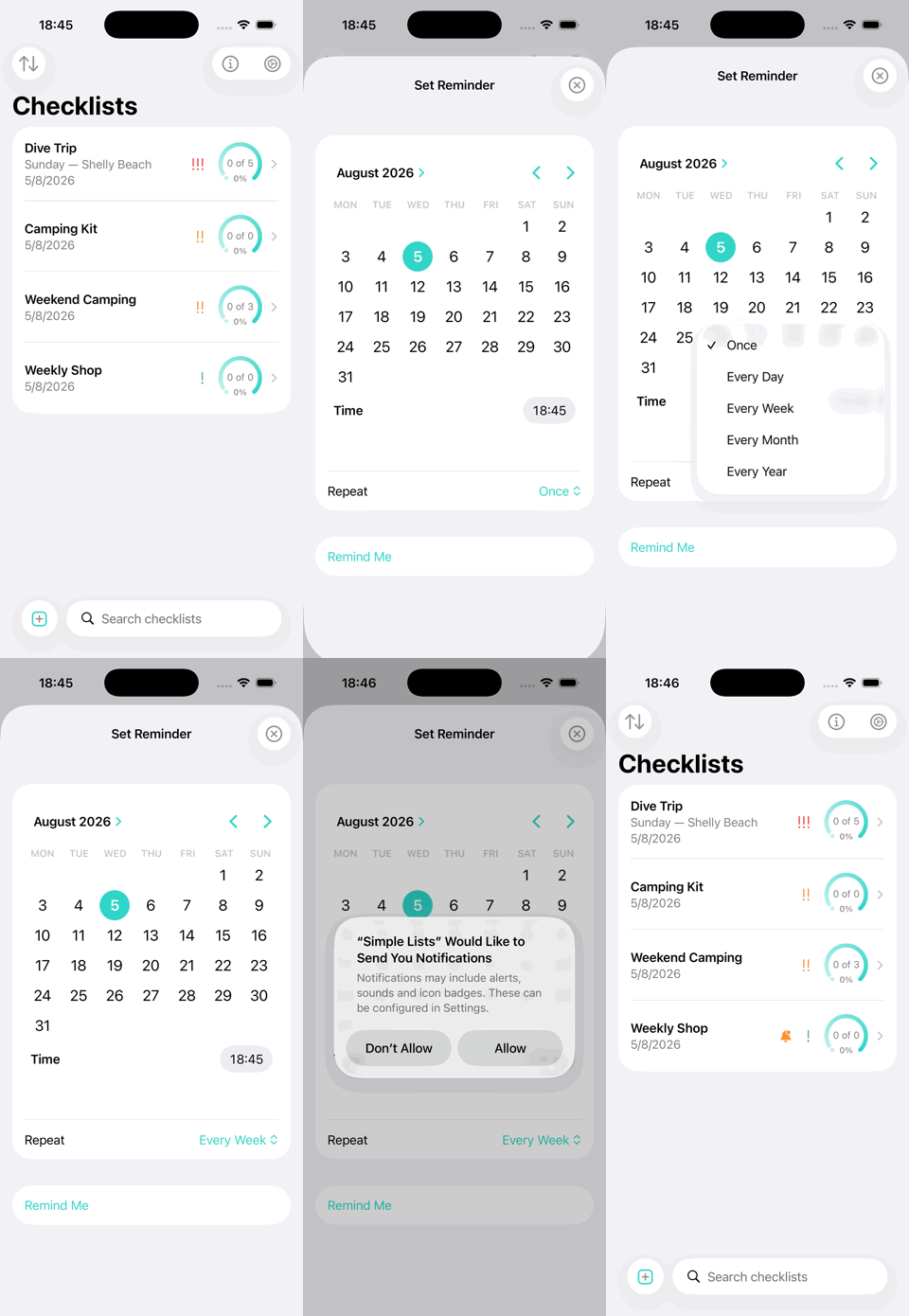
Swipe right on the list row and select “Remind Me”. Choose a date and time, and then choose a repeat schedule like once daily weekly monthly or yearly. A bell will appear on the row when a reminder is set.
- Why did my reminder not save?
A one-off reminder set in the past is rejected with an error. However, repeating reminders are allowed to roll forward to the next matching occurrence. Additionally, notification permission must be granted or scheduling will fail.
- Do my lists sync to my iPad or other device?
Yes, I’m using SwiftData over CloudKit and the iCloud key-value store for appearance colour and sort settings. This works with the same Apple account and iCloud enabled on device.
- Can I share a list with my partner or team?
Sharing isn’t currently supported but I’m working on it for a future update. The only “share” option is a ShareLink to the App Store page.
- How do I print or save a list as PDF?
The printer icon in a list's toolbar has options for hiding completed items and printing everything unchecked. The system print dialog has "Share to Files."
This feature is subscriber-only.
- Is there a way to undo deleting a list?
No — swipe-delete removes it immediately with no confirmation and no undo. Deleted lists are gone from iCloud too.
- I hit "5 lists limit" — what now?
The free tier offers five lists. Lists created before subscriptions were introduced are grandfathered and never lock, but they still count towards the five. This means a long-time user might find newer lists locked behind a padlock. Nothing is deleted; locked lists simply reopen when you subscribe. Subscribing also unlocks manual sorting, the five alternative app icons and printing.
- How do I send suggestions or feedback from the app?
Tap the information button top right and hit the email link. Alternativly Click Here to send an email.